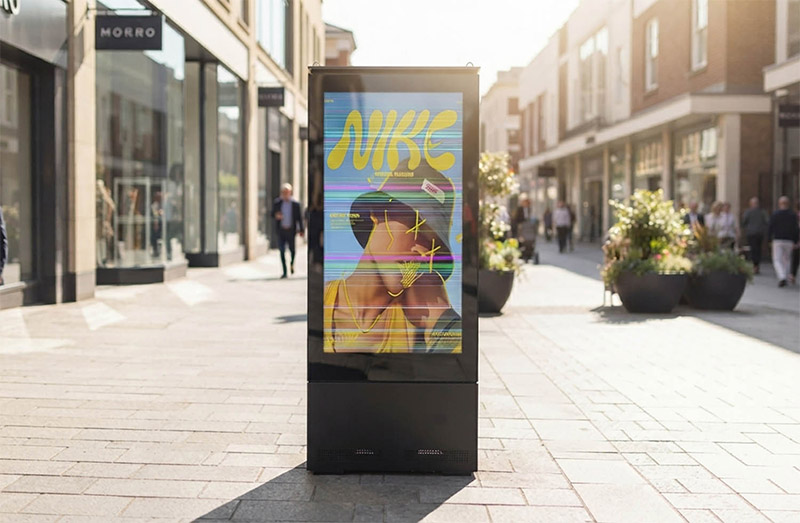
Commercial LCD advertising displays and digital signage are designed for long-term operation, but display problems can still occur due to cable connections, LED backlight components, power supplies, thermal conditions, or the LCD panel itself.
Common issues include horizontal or vertical lines, uneven brightness, screen flickering, black screens, internal dust, dark spots, liquid crystal leakage, and localized dark areas.
For maintenance teams, distributors, system integrators, and service engineers, the most important step is to identify the actual source of the problem before replacing components. Incorrect diagnosis can lead to unnecessary part replacement and may even cause secondary damage during disassembly.
This guide covers 8 common LCD display problems, including their symptoms, possible causes, troubleshooting directions, and recommended solutions.
Quick answer: Most LCD display problems can be traced to one of five areas: power supply, signal cables, driver board, LED backlight system, or the LCD panel itself. The key to efficient troubleshooting is to identify which system is responsible before replacing expensive components.
Suitable for: Commercial display maintenance teams, technical support engineers, distributors, system integrators, and project contractors.
1. LCD Display Troubleshooting: Safety First
Before opening a commercial LCD display or performing internal inspection, always follow electrical safety and ESD protection procedures.
Disconnect Power Completely
Before servicing the display:
Disconnect the AC power completely.
Unplug the power adapter or power connection.
Allow sufficient time for internal components to discharge according to the equipment manufacturer's safety requirements.
Never perform internal repairs or connect/disconnect components while the equipment is powered unless a qualified technician is performing a specific live electrical test.
Protect Cables and Display Components
Avoid directly touching:
LVDS/eDP cable contacts
Connector pins
LCD panel surfaces
Optical films
LED backlight components
Use appropriate ESD protection, such as an anti-static wrist strap, when handling sensitive electronic components.
Avoid Mechanical Pressure
LCD panels are precision components. Do not press, hit, bend, or squeeze the panel during installation or maintenance.
Physical damage to the liquid crystal layer, TFT structure, or COF bonding area is generally irreversible and may require complete LCD panel replacement.
2. 8 Common LCD Display Problems and Solutions
Problem 1: Horizontal or Vertical Lines on the LCD Screen
Symptoms
The LCD screen displays fixed horizontal lines, vertical lines, or colored lines. The lines usually remain in the same position regardless of the displayed content.
Possible Causes
Common causes include:
Loose or poorly connected LVDS/eDP cables
Oxidized or contaminated connectors
Bent or damaged display cables
Internal cable or conductor damage
Driver board output problems
LCD panel or COF bonding failure
Troubleshooting
Start by inspecting the LVDS/eDP cable and its connectors. Check for loose connections, contamination, oxidation, excessive bending, or visible physical damage.
Reconnect the cable securely and make sure it is not under tension or being squeezed by the enclosure.
If the problem remains, use a known-good cable or compatible driver board for replacement testing.
If the line remains fixed after the cable and driver board have been ruled out, the problem is more likely related to the LCD panel or COF bonding area.
Quick Diagnosis
Intermittent lines: more likely a cable or connector problem.
Fixed lines in the same position: more likely a panel-level or COF-related problem.
A panel-level fault generally requires LCD panel replacement rather than conventional repair.
Problem 2: Waves, Wrinkles, or Optical Film Deformation
Symptoms
The display shows visible waves, wrinkles, uneven textures, bubbles, or image distortion. The problem may be particularly noticeable when displaying white, gray, or other uniform colors.
Possible Causes
Typical causes include:
Aging or deformation of the polarizer
Heat deformation of diffuser or brightness-enhancement films
Excessive mechanical pressure from the frame
Poor ventilation or prolonged high-temperature operation
Internal structural stress or improper assembly
Troubleshooting
First check whether the external surface of the LCD panel is physically flat.
If the outer surface is normal but the image contains internal waves or distortions, inspect the optical film and backlight assembly.
The cooling system should also be checked. Clean blocked ventilation openings and cooling fans and make sure the display has adequate airflow.
Check the frame, mounting structure, and fixing screws for excessive mechanical pressure.
Recommended Action
Minor and stable optical deformation that does not affect normal viewing may be monitored.
Severe or progressive deformation usually requires replacement of the affected optical component or LCD module.
Important: Permanent deformation of optical films generally cannot be corrected through simple adjustment.
Problem 3: Uneven Brightness or One Side of the Screen Is Darker
Symptoms
One side or section of the LCD display—such as the left, right, top, or bottom—is noticeably darker than the rest of the screen, while image content remains visible.
Possible Causes
Common causes include:
Failed LED backlight strips
Aging or failed LED chips
Loose backlight power connections
Backlight driver circuit problems
Misaligned or damaged optical films
Long-term thermal stress
Troubleshooting
Start by checking the backlight power connections and related wiring.
Next, determine whether the dark area corresponds to a specific LED backlight strip or section.
If the corresponding backlight section is not illuminating correctly, inspect or replace the compatible LED backlight strip.
If the backlight output is abnormal, the backlight driver circuit should be checked.
If the entire backlight system illuminates evenly but a specific image area remains dark, the problem may be related to the LCD panel or TFT circuit.
Quick Diagnosis
The key question is:
Is the dark area caused by the backlight, or is the LCD panel itself producing the dark image?
Identifying this difference before replacing the panel can significantly reduce unnecessary maintenance costs.
Problem 4: LCD Screen Flickering
Symptoms
The display repeatedly changes in brightness, flickers, or shows unstable image movement. Flickering may affect the entire screen or only a specific area.
Some high-frequency flickering may not be obvious to the human eye but can sometimes be detected using a smartphone camera.
Possible Causes
Possible causes include:
Unstable power adapter output
Poor LVDS/eDP cable connection
LED backlight or backlight driver problems
Aging or poorly connected LED strips
Driver board or firmware issues
Improper grounding
External electromagnetic interference
Troubleshooting
A practical troubleshooting sequence is:
Power → Display Cable → Backlight → Driver Board/Firmware → Grounding
If the entire screen changes in brightness, check the power supply and backlight system first.
If the backlight remains stable but the image signal appears unstable, inspect the display cable and driver board.
Firmware compatibility should also be confirmed when applicable.
A smartphone camera can be used as a preliminary tool for observing high-frequency flicker, but it should not replace professional electrical measurement equipment.
Problem 5: LCD Screen Black Screen or No Display
Symptoms
A black screen can generally be divided into two situations:
The device has power, but the screen shows no visible image.
The entire device has no response, including no status indicator.
Possible Causes
Common causes include:
AC or DC power failure
Damaged power adapter or power board
LED backlight failure
Loose or damaged display cable
Driver board failure
LCD panel failure
Troubleshooting
First check the AC input, power adapter, and device status indicator.
If the device has power but the screen remains black, a flashlight test can provide a preliminary indication of whether the backlight is functioning.
Shine a strong flashlight at the screen from an angle in a relatively dark environment.
Weak image is visible
If a faint image can be seen:
Likely direction → Backlight system
The LCD image signal may still be present, so check the LED backlight strips, backlight driver circuit, and backlight power connection.
No image is visible
If no image can be seen at all:
Likely direction → Signal path, driver board, or LCD panel
Check the LVDS/eDP connection and use compatible replacement components for cross-testing when appropriate.
Quick Diagnosis
Flashlight Test
Initial Diagnosis
Main Components to Check
Faint image visible
Backlight problem
LED strips, backlight driver, power connection
No image visible
Signal/driver/panel problem
Cable, driver board, LCD panel
Note: The flashlight test is only a preliminary diagnostic method. Professional electrical testing should be used for final diagnosis.
Problem 6: Dust Inside the LCD Display
Symptoms
Small white or gray particles, dust spots, or foreign matter are visible inside the display and cannot be removed by cleaning the external surface.
Possible Causes
Internal dust may result from:
Aging or damaged sealing materials
Poor sealing of the backlight assembly
Dust entering through gaps
Contamination during manufacturing or maintenance
Previous disassembly or repair
Troubleshooting
First determine whether the dust is on the external surface or inside the display.
If there are only a few small particles near the edge and they do not affect normal viewing, disassembly may not be necessary.
If internal cleaning is required, the backlight assembly should only be opened by trained personnel in a clean and controlled environment.
Optical films are particularly sensitive to dust, fingerprints, and scratches. Opening the backlight assembly in a normal field environment can introduce even more contamination.
Recommended Action
If a suitable clean environment is not available, replacing the LCD module may be a more reliable solution than attempting field cleaning.
Problem 7: Black Spots, Dark Spots, or LCD Leakage
Symptoms
The screen develops fixed black spots, dark areas, irregular stains, or water-like and colored patterns. In some cases, the damaged area may gradually expand.
Possible Causes
Common causes include:
Impact or physical shock
Excessive pressure on the LCD panel
Damage to the liquid crystal layer
TFT structure damage
Uneven mechanical stress during installation
Severe thermal stress
Troubleshooting
If liquid leakage or physical panel damage is suspected, do not press, wipe, or squeeze the affected area.
Inspect the enclosure, frame, mounting structure, and fixing screws to determine whether excessive mechanical stress contributed to the problem.
Recommended Action
Physical damage to the liquid crystal layer or TFT structure is generally irreversible.
In such cases, the appropriate solution is usually to replace the LCD panel with a compatible panel.
⚠️ Important: Never press a suspected leakage area. Additional pressure can cause the damaged area to expand.
Problem 8: Localized Dark Area on the LCD Screen
Symptoms
A specific area of the LCD screen appears noticeably darker than the surrounding area, without obvious leakage or visible lines.
Possible Causes
Possible causes include:
Failed or aging LED backlight components
LED backlight strip failure
TFT or panel circuit damage
COF bonding damage
Optical film deformation
Long-term thermal stress
Troubleshooting
First determine whether image information is still visible in the dark area.
Then check whether the corresponding backlight section is operating normally.
If the backlight in that area is not illuminating, inspect the LED backlight strip and backlight driver.
If the backlight illuminates evenly but the image remains permanently dark in a specific area, the problem may be related to the LCD panel or TFT circuit.
The display's thermal environment should also be checked to identify potential long-term overheating.
Recommended Action
If the fault is confirmed to be at the panel level, replacing the LCD panel is generally more practical than attempting component-level repair.
3. LCD Display Troubleshooting Quick Reference
The following table provides a quick starting point for diagnosing common commercial LCD display problems.
Display Problem
Main Troubleshooting Direction
Typical Action
Fixed horizontal/vertical lines
Cable → Driver board → Panel
Reconnect → Replace cable → Test driver board → Replace panel if necessary
Intermittent lines
Cable/connector
Check and reconnect cable
Waves or wrinkles
Optical film / Thermal / Mechanical stress
Check cooling and mounting → Replace damaged optical components
One side darker
LED backlight / Driver
Check connection → Backlight strip → Driver circuit
Screen flickering
Power / Cable / Backlight / Driver
Check systems in sequence
Black screen with faint image
Backlight
Check LED strips and backlight driver
Black screen with no image
Power / Signal / Driver / Panel
Check power → Cable → Driver board → Panel
Internal dust
Sealing / Contamination
Assess necessity → Clean in controlled environment or replace module
Black spots / LCD leakage
LCD panel
Usually replace panel
Localized dark area
Backlight or panel
Determine whether the backlight or panel is responsible
4. Repair or Replace the LCD Panel?
Not every LCD display problem requires replacement of the entire panel.
Usually Repairable or Component-Replacement Issues
These problems can often be addressed by replacing or repairing individual components:
Loose or damaged display cables
Power adapter problems
LED backlight strip failure
Backlight driver problems
Driver board failure
Cooling system blockage
Aging sealing materials
Certain firmware or configuration issues
Usually Requires LCD Panel Replacement
Panel replacement is generally required when the problem involves irreversible physical damage, such as:
Physical LCD panel damage
Liquid crystal leakage
Severe TFT damage
COF bonding failure
Permanent panel-level image defects
Severe and irreversible optical damage
The Basic Principle
Diagnose first, replace second.
Before replacing an expensive LCD panel or driver board, technicians should first rule out simpler causes such as power, cable connections, connectors, and the LED backlight system.
5. Preventive Maintenance for Commercial LCD Displays
Regular preventive maintenance can help reduce unexpected failures and improve long-term display reliability.
Maintenance Frequency
Recommended Checks
Monthly
Clean ventilation openings and external surfaces; check power cables, connectors, and grounding
Quarterly
Inspect internal cables, mounting structure, backlight condition, and cooling airflow
Annually
Check power output, LED backlight aging, cooling fans, thermal management, and sealing materials
Pay Attention to Thermal Management
Thermal management is particularly important for high-brightness LCD advertising displays and outdoor digital signage.
Make sure the display has sufficient ventilation space and avoid:
Blocking ventilation openings
Installing the display directly against a wall without adequate airflow
Operating continuously in excessively high ambient temperatures
Allowing heavy dust buildup around fans or cooling components
Proper thermal management can help reduce premature aging of backlight components and other internal electronics.
6. CNLC Commercial LCD Display Solutions
CNLC provides commercial LCD and LED display solutions for B2B applications, with capabilities covering product design, engineering development, manufacturing, reliability testing, and project delivery.
For long-term commercial display applications, reliability depends on more than image quality. Thermal management, backlight stability, structural design, environmental adaptability, and serviceability can all affect long-term operating performance.
CNLC supports both standard display products and project-based OEM/ODM development, helping distributors, system integrators, and project customers select or develop display solutions based on specific application requirements.
If you are experiencing a display problem or looking for a commercial LCD display solution for an advertising, digital signage, or other professional display project, contact the CNLC technical team for project consultation and technical support.
Disclaimer: This article provides general technical information for preliminary LCD display troubleshooting. It is not a service manual for a specific product. Any work involving mains electricity, high-voltage circuits, panel disassembly, or other safety risks should be performed by qualified and experienced technicians. Always follow the manufacturer's technical specifications and safety requirements for the specific display model.
LCD Display Troubleshooting FAQ
Q1. What should I check first when an LCD advertising display goes black?
Start with the power supply and status indicator. If the device has power but the screen is black, use a flashlight test to determine whether a faint image is present. Then check the display cable, driver board, backlight system, and LCD panel.
Q2. Why does an LCD screen show horizontal or vertical lines?
Possible causes include a loose or damaged LVDS/eDP cable, connector problems, driver board issues, or LCD panel/COF damage. Intermittent lines are more commonly associated with connection problems, while fixed lines may indicate a panel-level fault.
Q3. Can LCD leakage or black spots be repaired?
In most cases, no. Physical damage to the liquid crystal layer or TFT structure is generally irreversible, so the LCD panel normally needs to be replaced.
Q4. Why is one side of my LCD display darker than the other?
Uneven brightness can be caused by an LED backlight strip, backlight driver, power connection, optical film, or the LCD panel itself. The first step is to determine whether the dark area is caused by the backlight or the panel.
Q5. How can I quickly tell if a black screen is caused by the backlight?
Use a strong flashlight at an angle to the screen. If a faint image is visible, the image signal may still be working and the backlight system should be checked. If no image is visible, inspect the signal path, driver board, and LCD panel.
Q6. Can dust inside an LCD display be removed?
It can be removed in some cases, but opening the backlight assembly should be performed in a clean and controlled environment. If the dust is minor and does not affect viewing, avoiding unnecessary disassembly may be the better option.
Q7. What causes LCD screen flickering?
Common causes include unstable power, poor cable connections, LED backlight problems, backlight driver faults, aging LEDs, driver board or firmware issues, grounding problems, and electromagnetic interference.
Q8. How often should commercial LCD advertising displays be maintained?
A basic inspection and cleaning can be performed monthly, internal connections and cooling can be checked quarterly, and a more comprehensive inspection of the power, backlight, cooling, and sealing systems can be performed annually.